

Open-Meteo
The default weather provider, with no account or API key needed.
GNOME Shell Extension · v51.0.2
SimpleWeather puts current conditions plus hourly and weekly forecasts in your top bar. Now with GNOME 51 support, Default and Classic layouts, and more choice over weather and location providers.
No API key or account required.
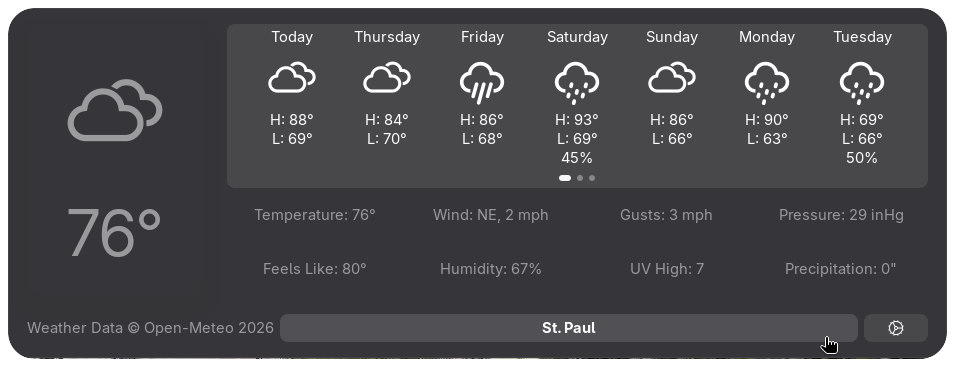
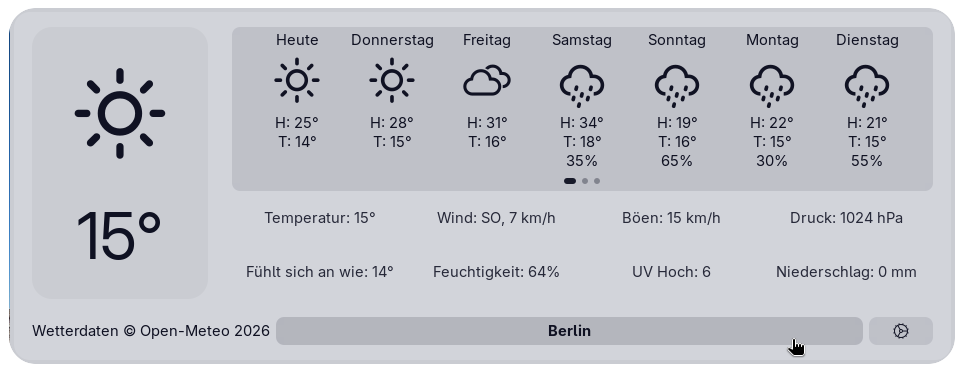
Auto-config chooses relevant settings based on your location and device. The default provider works without an account or API key.
See current conditions, hourly data, and the week ahead. Show as many weather details as you want, or keep the pop-up simple with none.
Open source with no telemetry. SimpleWeather contacts only the services needed for weather and location features.
Start with a preset, or mix temperature, wind, pressure, rain, and distance units individually.
Choose the Default or Classic layout, then customize panel placement, icons, and one of four themes.
SimpleWeather handles its own locations and providers, avoiding GNOME Weather’s problems with certain cities and countries.
Version 51.0.2 supports the following GNOME Shell versions:
Language support
Translation coverage varies by language, and contributions are welcome.
Is your language missing?
The default weather provider, with no account or API key needed.
Requires a personal key with access to One Call API 3.0.
Another weather provider for users in China. Requires your own account and credentials, which you can check from settings.
Search with Nominatim, Open-Meteo, or QWeather, or enter coordinates. My Location uses ip.sb by default and can be changed or turned off.
The first-run notice explains which services the extension may contact. Open-Meteo supplies weather by default, ip.sb provides automatic location lookup, and Nominatim handles search in most places. First-time setup in mainland China selects Open-Meteo for search. Requests follow your chosen providers, and SimpleWeather never sends telemetry.
No. SimpleWeather manages its own locations and weather providers. This alleviates issues caused by GNOME Weather not having certain locations or being unclear about what city it was referring to. This was particularly a problem with cities in the U.S.A. or other large countries with states/regions.
Yes, although GNOME Extensions is the recommended route. Reading about the manual installation may be useful to testers or packagers.
Read the manual installation steps (opens in a new tab)I built SimpleWeather as a GPL open-source project that encourages community contributions for both code and translations.
Read the latest news!
v51 brings layouts, more provider options, and GNOME 51 support.
Read announcementv51 will be the most feature-filled update of this year.
Read announcementSimpleWeather v51.prerelease1 introduces GNOME 51 support, restores 3 pages on the forecast, and makes some quality-of-life changes.
Read announcementSimpleWeather 50.1.0 introduced an optional OpenWeatherMap provider, clearer forecast navigation, better server feedback, and four translation updates.
Read announcementGet v51.0.2 with GNOME 51 support on GitHub, or check GNOME Extensions for the compatible version available there.